Mods built on Herdr. In Herdr's own style.
Nine mods that use Herdr's own mod API and draw in Herdr's own style: a Git panel, a file browser, a sidebar, a tab bar, one settings dialog for every mod, PR and Linear panels, Mac automation for agents, and staged agent runs. Install one, or all of them as a layout.
Read ~/.config/herdr-app/AGENTS.md, then add this mod: https://github.com/munza/herdr-mods/tree/main/<mod-folder>
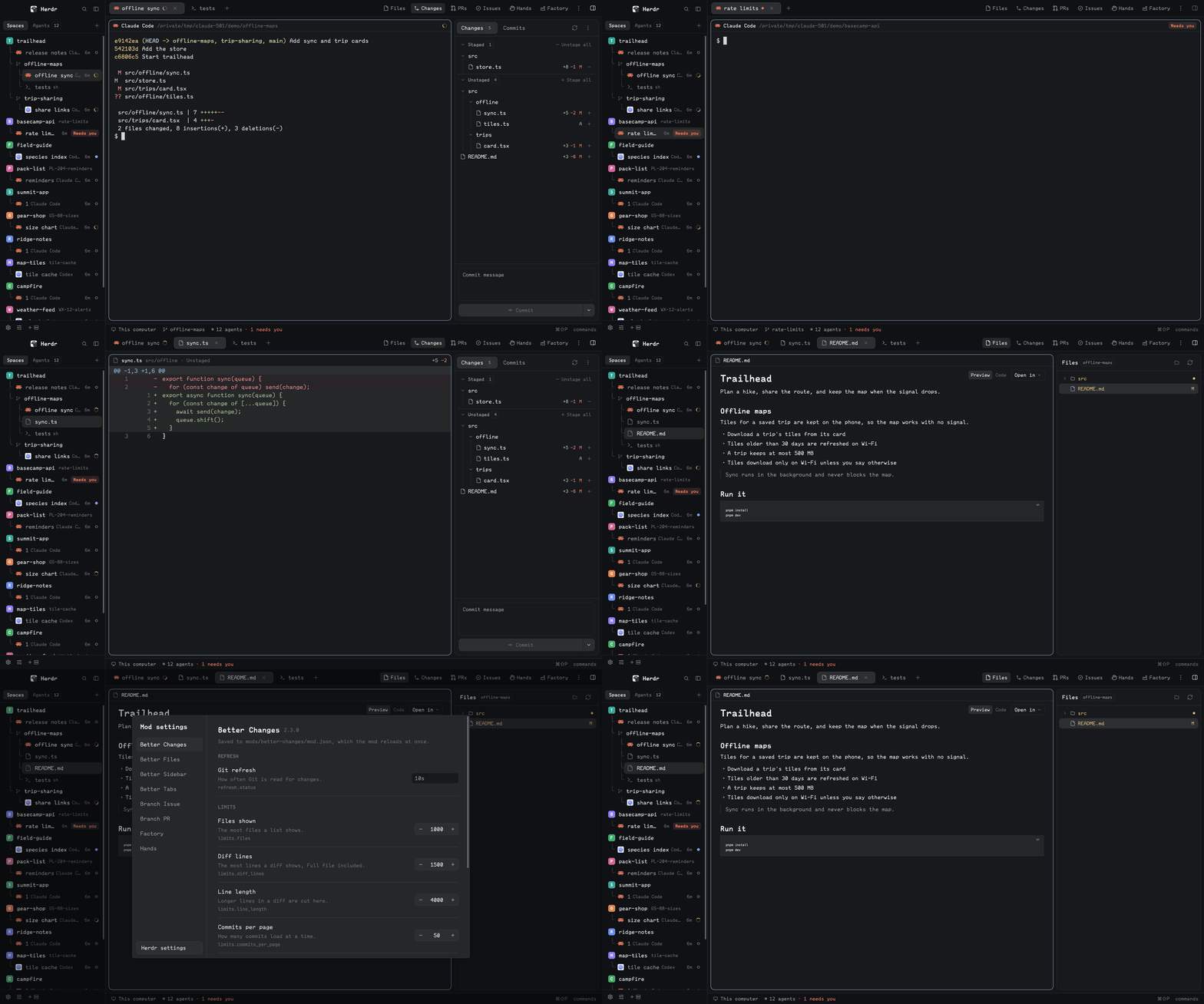
Recording coming: Better Sidebar, Better Tabs, Better Files, Better Changes and Better Config in one window.
01Why they're built this way
Each mod runs through the same API Herdr's own mods use, so a Herdr update doesn't overwrite them, and each is a folder you can read in one sitting.
On Herdr, not around it
Separate mods loaded through Herdr's mod API: they read their block's props(), are placed by a layout, and call Herdr's commands. None patches Herdr's shipped mods or fights its UI.
They look like Herdr
Every mod draws with one design kit, views/ui.js: Herdr's sizes, radii, type and spacing, measured from its shipped mods, as tokens and small components.
One folder per mod
mod.json, a mod.schema.json, the code, tests/, a README for people and a RECIPE.md for the agent that installs it.
Settings described once
The schema gives every setting a title, description, type, default and limits. Defaults live in one place in the code, and a test checks schema, mod.json and code agree.
Layout-driven
A block's props choose what a mod draws. Better Sidebar is the spaces list, the agents list, both under tabs, a footer or a panel toggle by props.view, so you compose your own layout.
Plain tooling
Tests are node --test with no packages. The four mods that need native work have a small Go helper with its own tests, built on your machine. No Python, no global installs.
02The mods
Each card opens the mod's docs. Replace <mod-folder> in the prompt above with the name under the title.
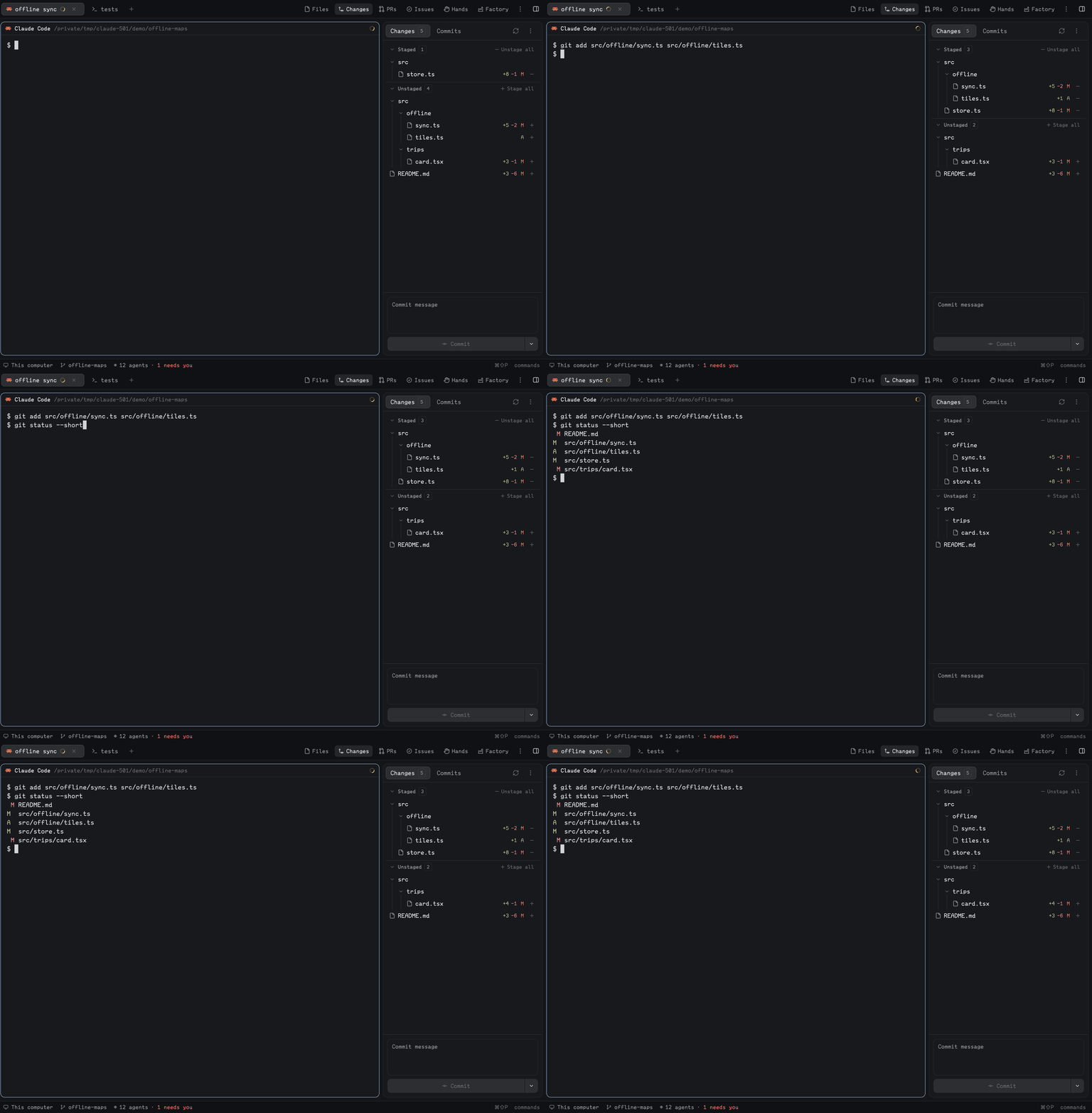
A Git panel: staged, unstaged and unpushed files, stage and unstage, commit and amend, history, and an inline or side-by-side diff tab in the centre.
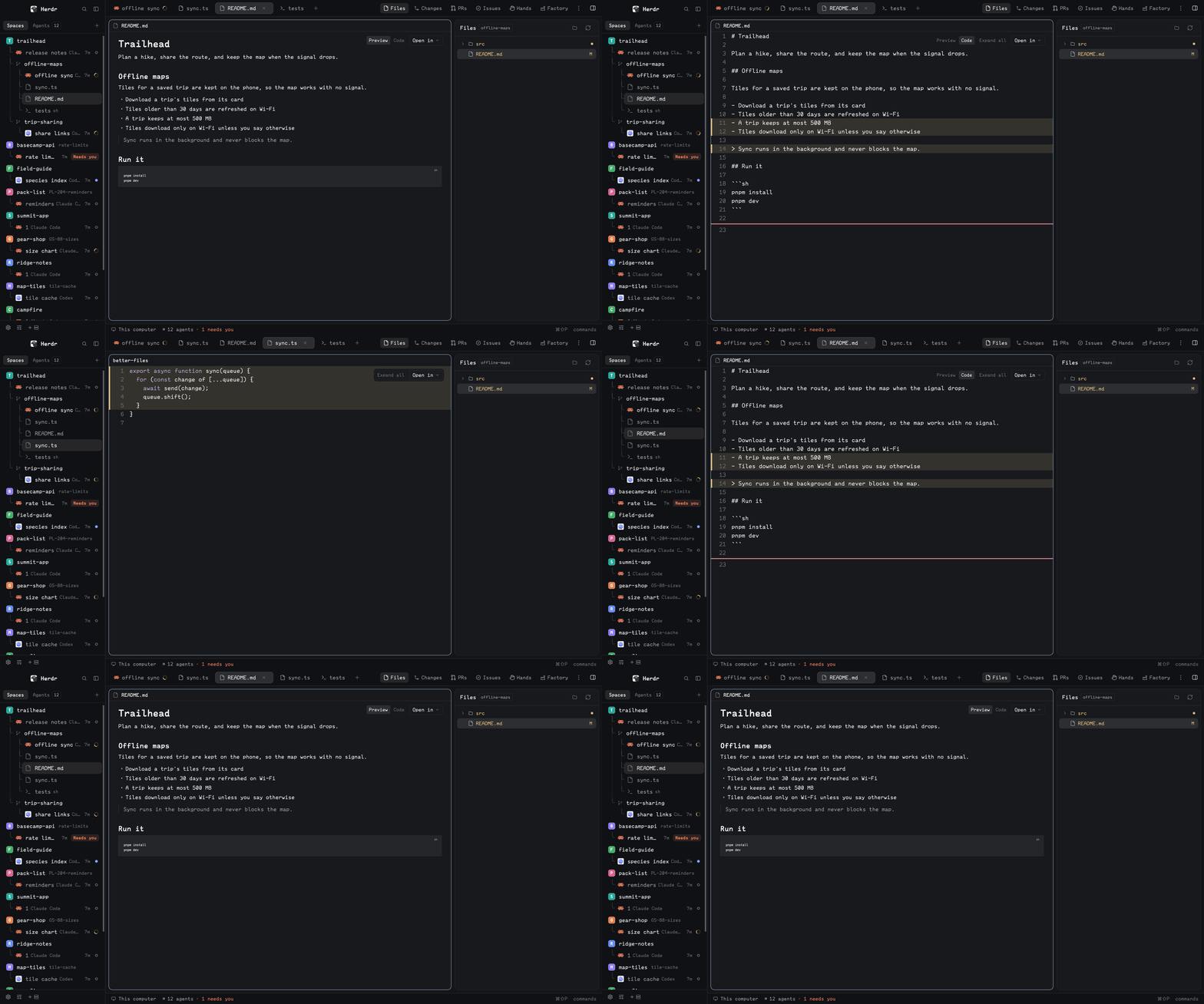
A read-only file browser that opens files in the centre pane beside your agents, with Markdown rendered, Git marks, Open in your editor, and a menu that hands a file to an agent.
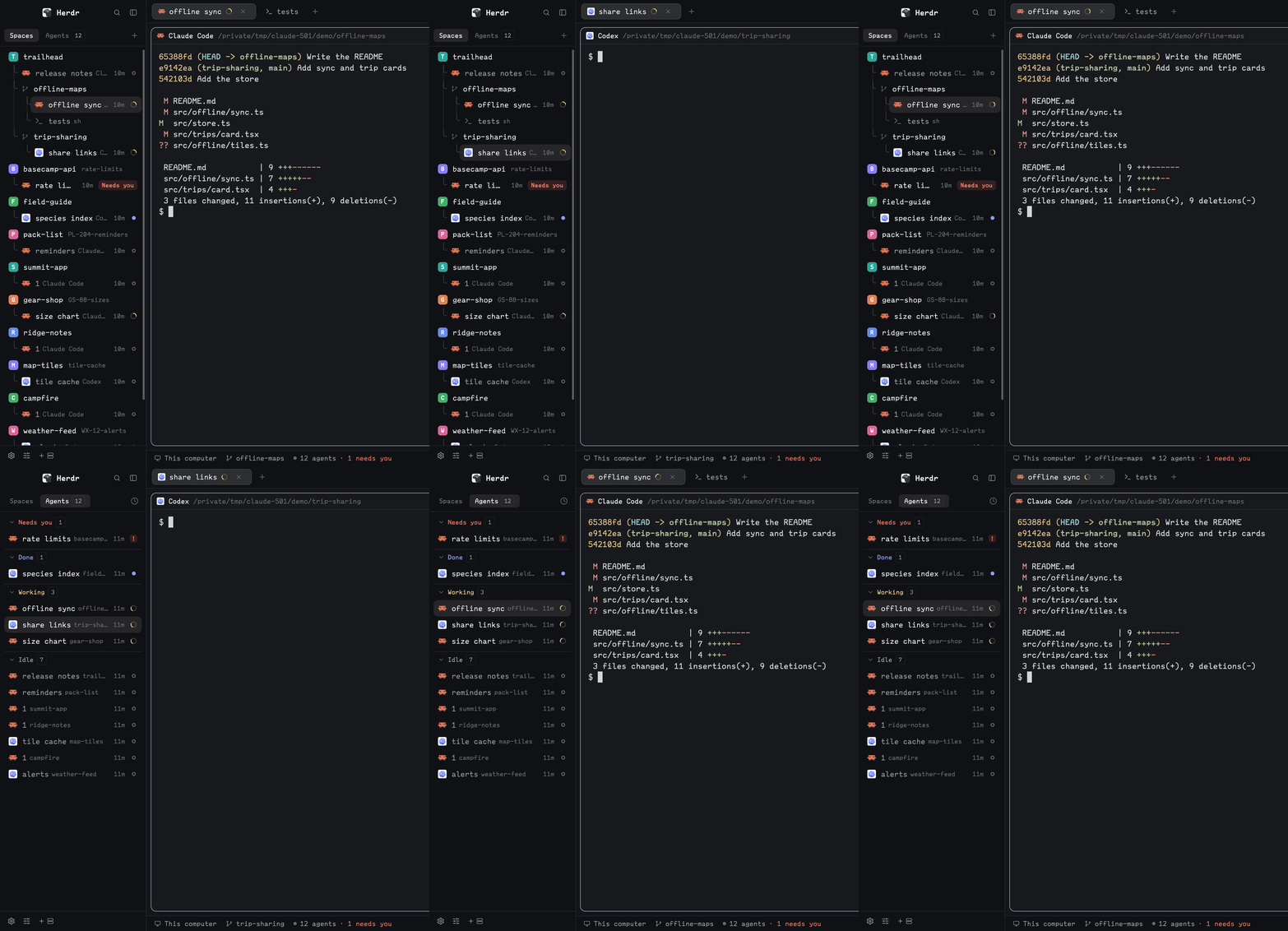
Spaces with nested worktrees, Git branches and pull-request status, agents grouped by space or name prefix, both under Spaces and Agents tabs, and a one-line footer. One mod, five blocks.
gh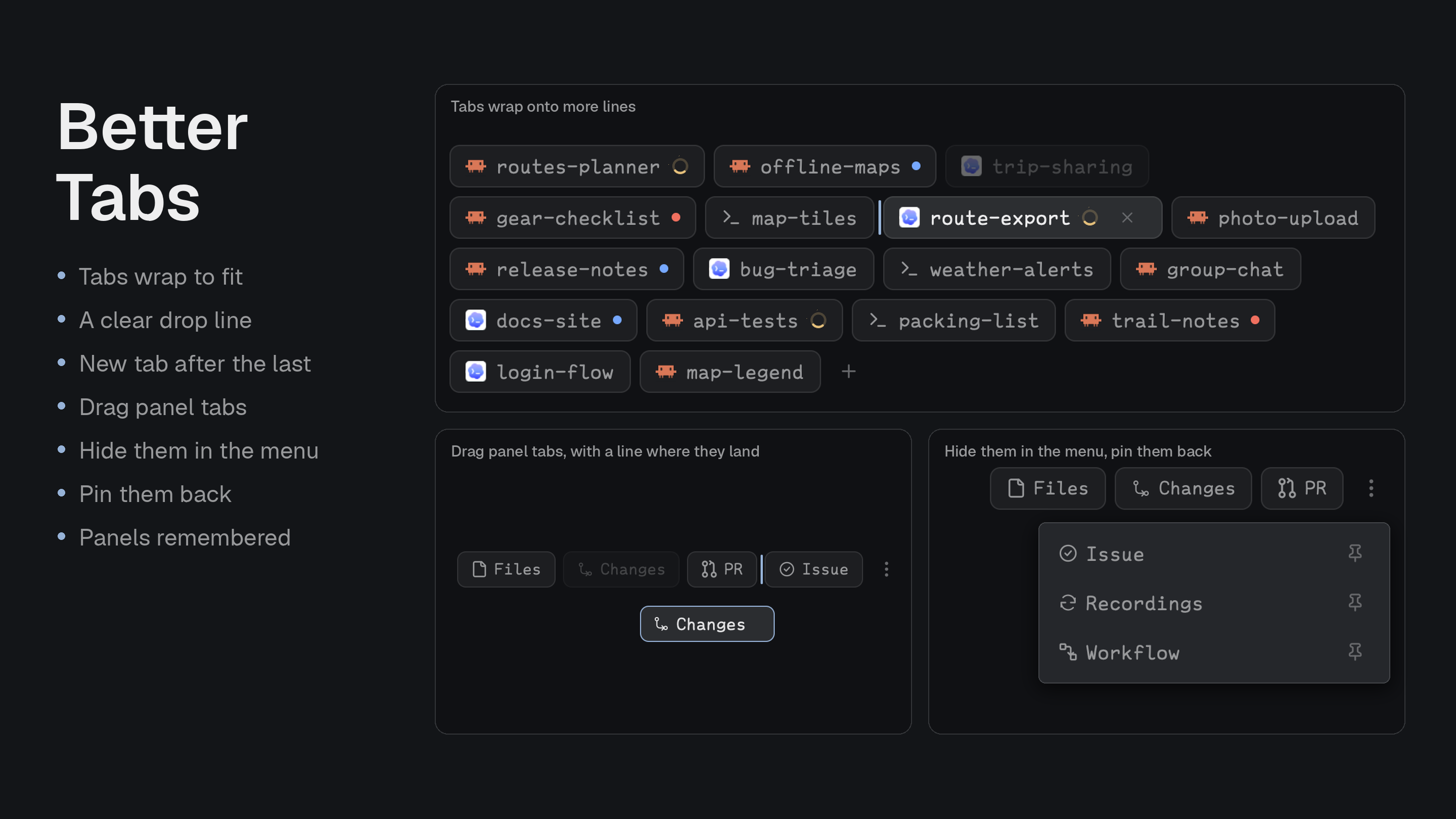
Tabs you drag that wrap onto more lines when they don't fit, a toolbar for your panels, and a ⋮ menu to hide and pin them.
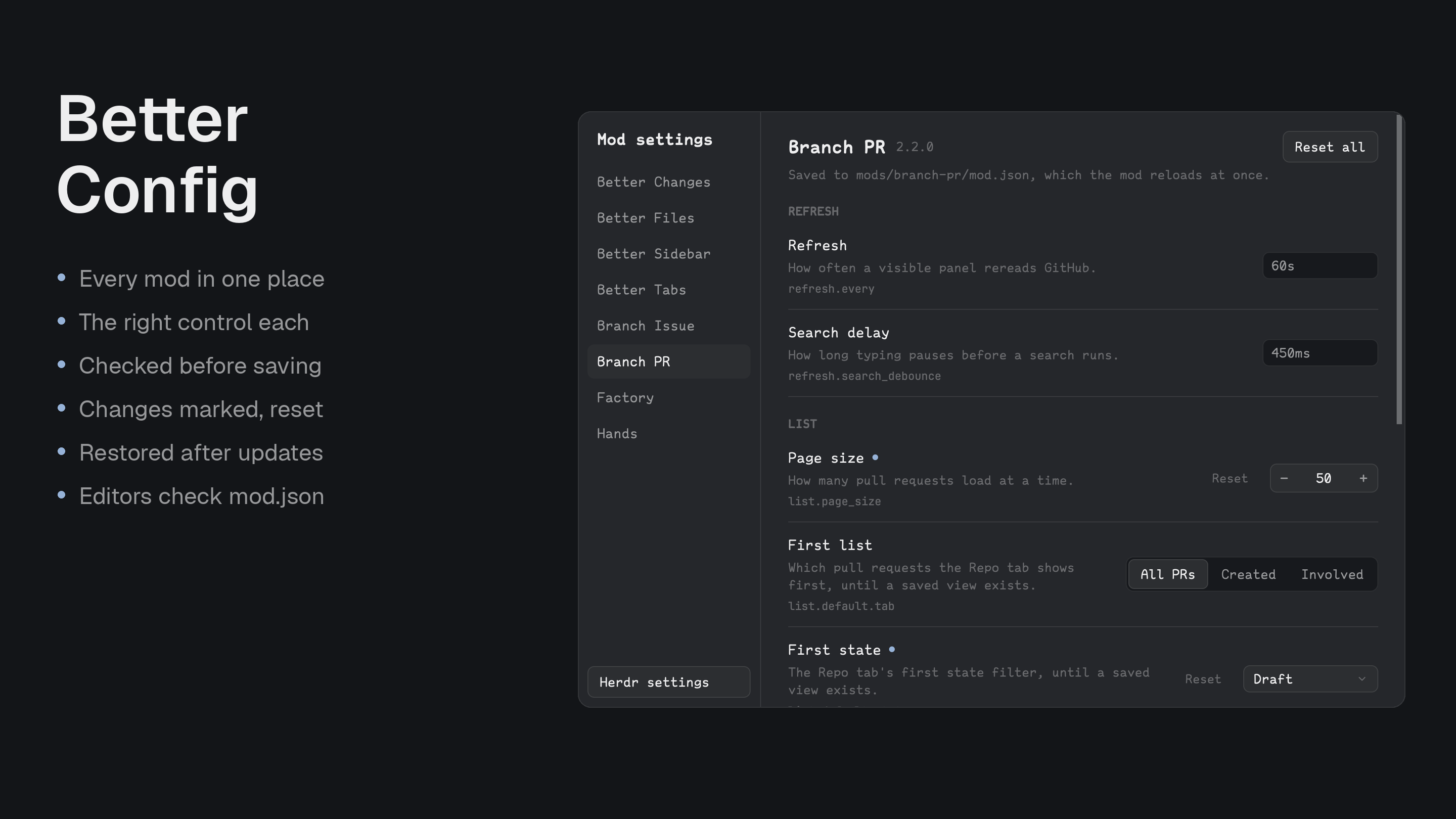
Every installed mod's settings in one dialog, drawn like Herdr's Settings. Checks values before saving, writes only what you changed, and offers to restore your changes after an update.
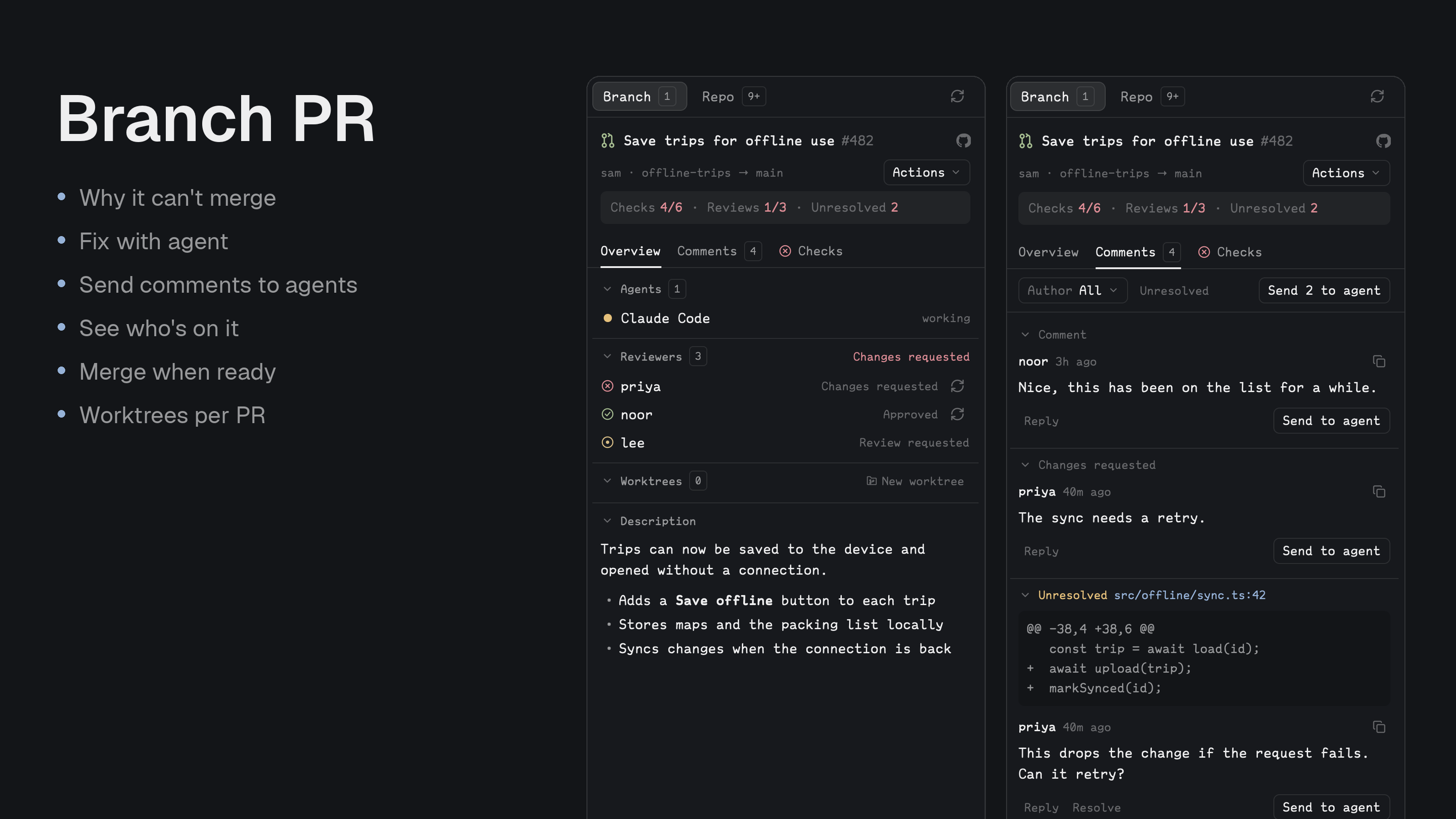
What stands between a pull request and a merge: checks, reviews, threads, conflicts, and the files it changes. Hands failures and comments to an agent, and merges when ready.
gh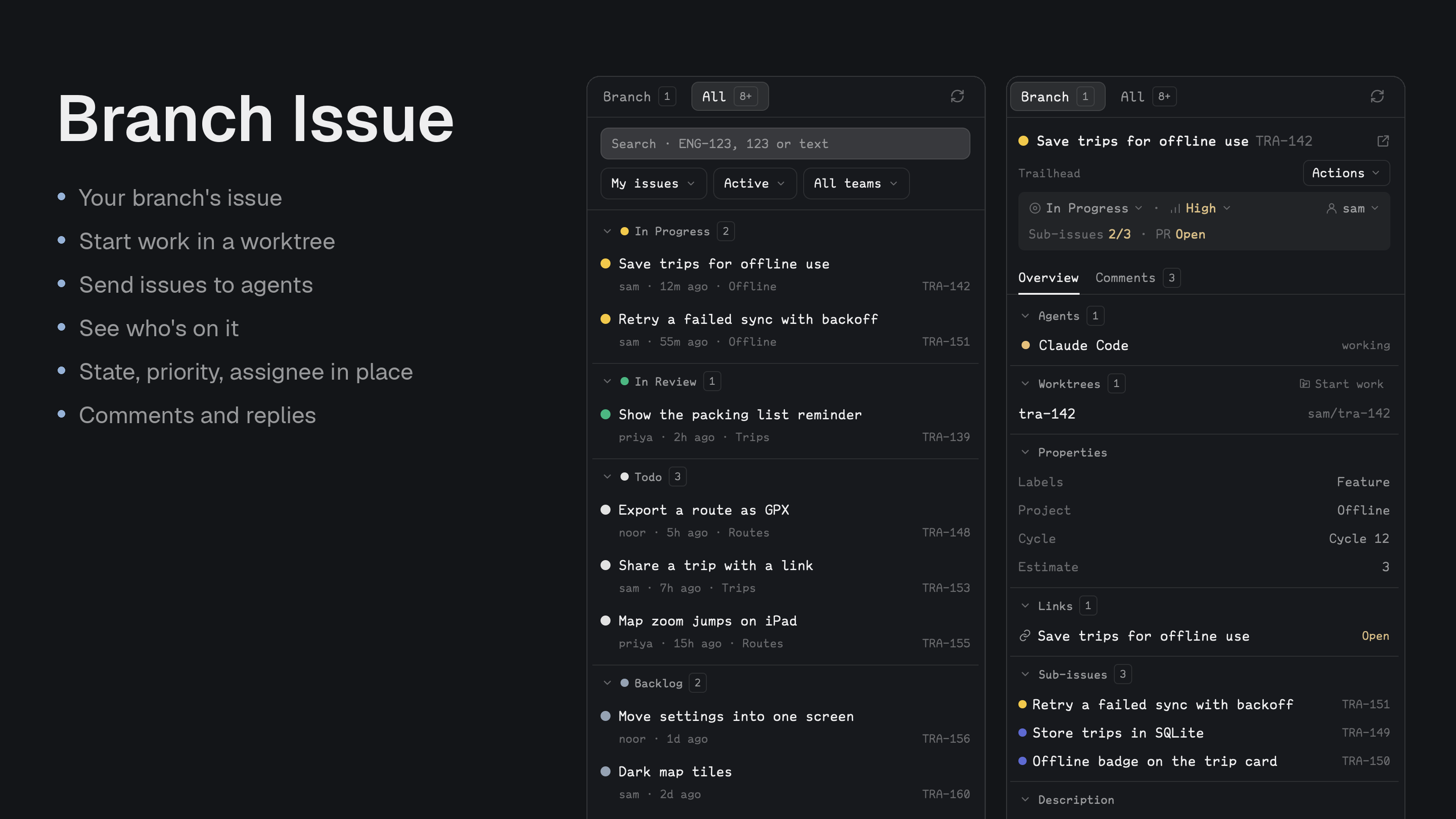
Linear issues for the branch you're on, with state, priority and assignee edits, comments, and a worktree that opens with an agent holding the issue.
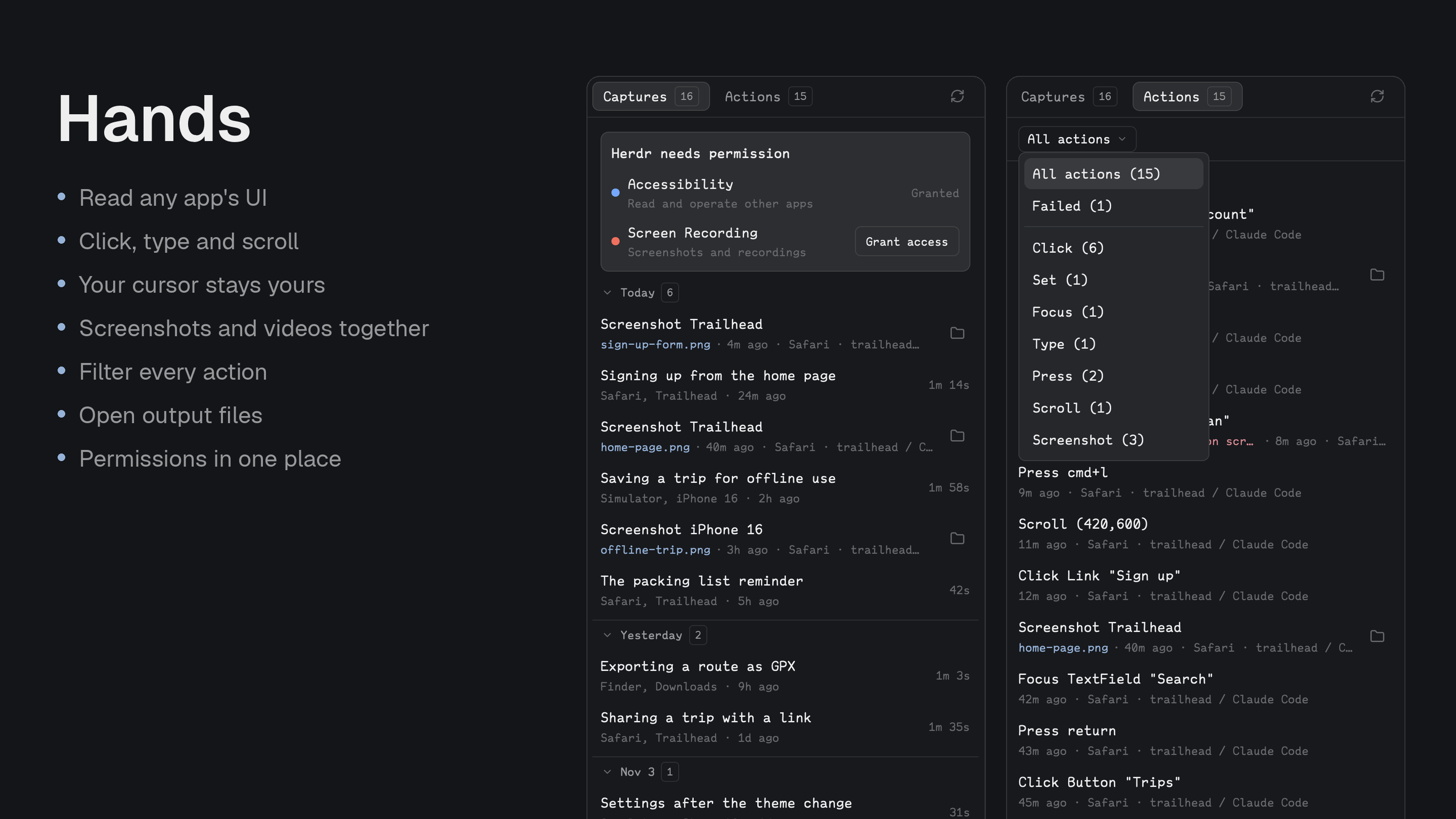
A hands CLI that lets an agent read and drive any Mac app through its accessibility tree, screenshot a window and record the screen, with a panel of what it did.
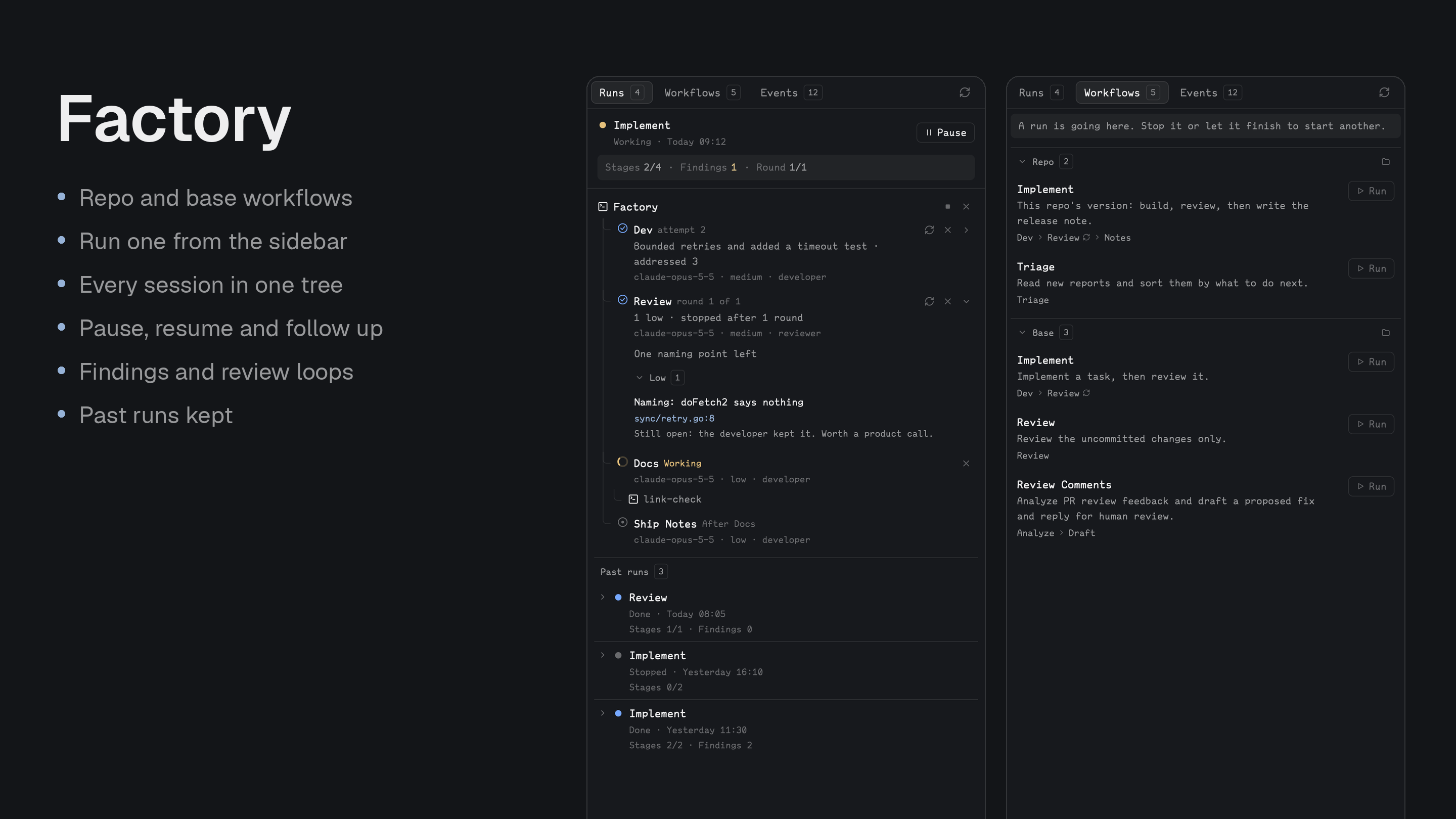
Staged agent runs, such as developer then reviewer, shown as a tree of live sessions with findings by severity, review loops and follow-ups.
03Estro: all of them in one layout
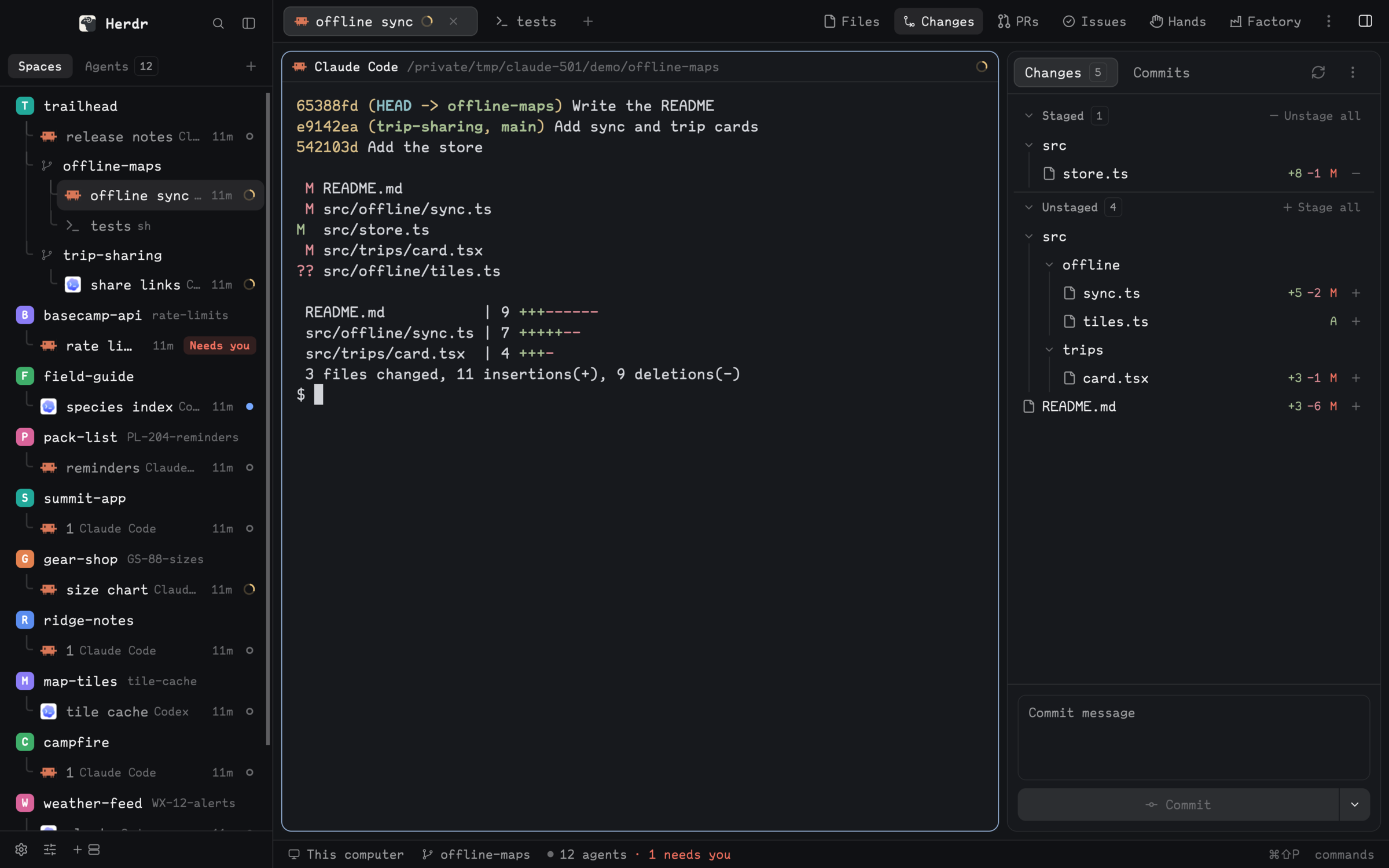
A window for directing agents: every space and agent on the left, the session in the middle, and Files, Changes, PRs, Issues, Hands and Factory in a panel on the right. One prompt installs the layout and all nine mods. A mod you already have is updated, not installed twice, and a layout already called estro is left alone.
Read ~/.config/herdr-app/AGENTS.md, then add this layout: https://github.com/munza/herdr-mods/tree/main/estro
04Build your own on the same structure
Copy any mod folder and keep its shape. Put Herdr's herdr.d.ts and gpui-kit.d.ts beside the code for editor types; they're gitignored, and sync.sh copies the mod into Herdr, which reloads it.
my-mod/
  mods/my-mod/
    main.js            # the View; reads props() to pick what to draw
    mod.json           # $schema, version, place, title
    mod.schema.json    # every setting: title, description, type, default
    settings.js        # installed settings merged over DEFAULT_SETTINGS
    views/ui.js        # the design kit
  tests/my-mod.test.cjs
  README.md            # for people
  RECIPE.md            # for the agent that installs it
  sync.sh
node --test */tests/*.test.cjs
for d in */helper; do (cd "$d" && go test ./... && go vet ./...); done